Search Pane
Filter List
Click the Search button to access the Search Pane and to change the Filter settings. The Search Pane consists of the Filter List and the Filter Details panel. Using the Search Pane, you can create a filter set that displays the desired set of interactions in the Interactions grid. A filter set could return only a few interactions or all the interactions in the database.
The Filter List shows all the fields available in the database for which you can define a search. Each item in the list shows the Filter or field name and the current Filter Setting for that filter. A Filter Setting of All indicates that there is no filter on that field, or that the search results will contain all values for that field.
When all the Filter items have a setting of All, then no filters are in place and all the interactions in the database are returned in the Interactions grid.
Selecting a Filter item in the Filter List causes the Filter Details pane to change to the display of the filter selection panel for that filter. There are several different types of filters and they each have their own user interface panel for specifying the details of that filter.
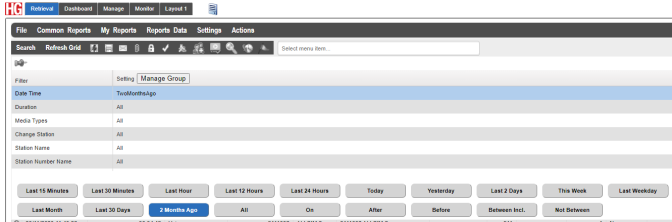
Filter List